Why Accessibility Should be Your First Priority 

Imagine you are trying to read an important email on your phone while walking down a street and the sunlight hits you, making you squint at the screen and struggle to tap the tiny reply button. Or maybe you’re trying to order food online while holding something in your other hand, trying to navigate a complex menu with one hand. These aren’t just usability issues; they’re accessibility issues that everyone faces daily. While we often think of accessibility in terms of disabilities, the truth is that creating designs that are accessible isn’t about accommodation, but about building a better experience for everyone, no matter the situation. 

What is Accessibility? 

While accessibility is often confused with usability, they serve different yet complementary purposes. Usability focuses on whether or not your design is effective and efficient, while accessibility makes sure that all users can experience your product in the same way, regardless of their circumstances. Think of accessibility as the foundation where good usability is built. 

According to the World Health Organization, approximately 15% of the global population has some form of disability. However, the reach of accessibility extends far beyond this segment. Every user, regardless of their abilities, encounters challenge that accessibility features can help. 

Spectrum of Needs 

Accessibility considerations fall into many key categories, and understanding these needs helps us create more inclusive designs that can work for everyone: 

Physical and Sensory Needs: 

  • Visual Impairments (from color blindness to complete vision loss) 
  • Motor/mobility challenges 
  • Auditory difficulties 
  • Seizure Triggers 

Contextual and Situational Needs: 

  • Environmental Constraints (bright sunlight, noisy surroundings) 
  • Device Limitations (mobile screens, slow internet) 
  • Temporary Impairments (injuries, fatigue) 
  • Cognitive load (stress, multitasking) 

Why Accessibility Should Come First 

When you start with accessibility, you’re not just meeting a requirement, you’re creating better designs for everyone. 

  1. Universal Benefits: Features designed for accessibility often improve everyones experience. For example, video captions help both hearing imparied users and those watching in noisy environments.  
  1. Business Impact: Beyond being moral, accessible design makes business sense. It expands your market reach, improves SEO, and enhances your brand’s public image. 
  1. Future-Proofing: Designing with accessibility in mind creates greater adaptable interfaces that work across many different devices, situations, and contexts. 

Steps Forward 

To make accessibility a priority in your design process: 

  • Begin with empathy and user research 
  • Ensure proper color contrast and text that people can read 
  • Implement keyboard navigation options 
  • Provide text for images and media 
  • Structure content with clear headings and a flow that makes sense 
  • Test your designs in various situations and environments 

The Path Forward 

Accessibility isn’t some box that you have to check, it is a fundamental approach to design that will benefit everyone. By making it your first priority when making and designing a product, you’re not just designing for compliance, you’re designing for anyone and everyone to be able to have a good experience with your product. 

Why Usability is the Key to Successful User Experience 

In today’s digital landscape, where users have countless options at their fingertips, creating a product that is not just functional but also usable has become more important than ever. Many websites focus solely on delivering information, but to truly be successful you have to create an experience that’s both engaging and efficient for users. 

Understanding Usability 

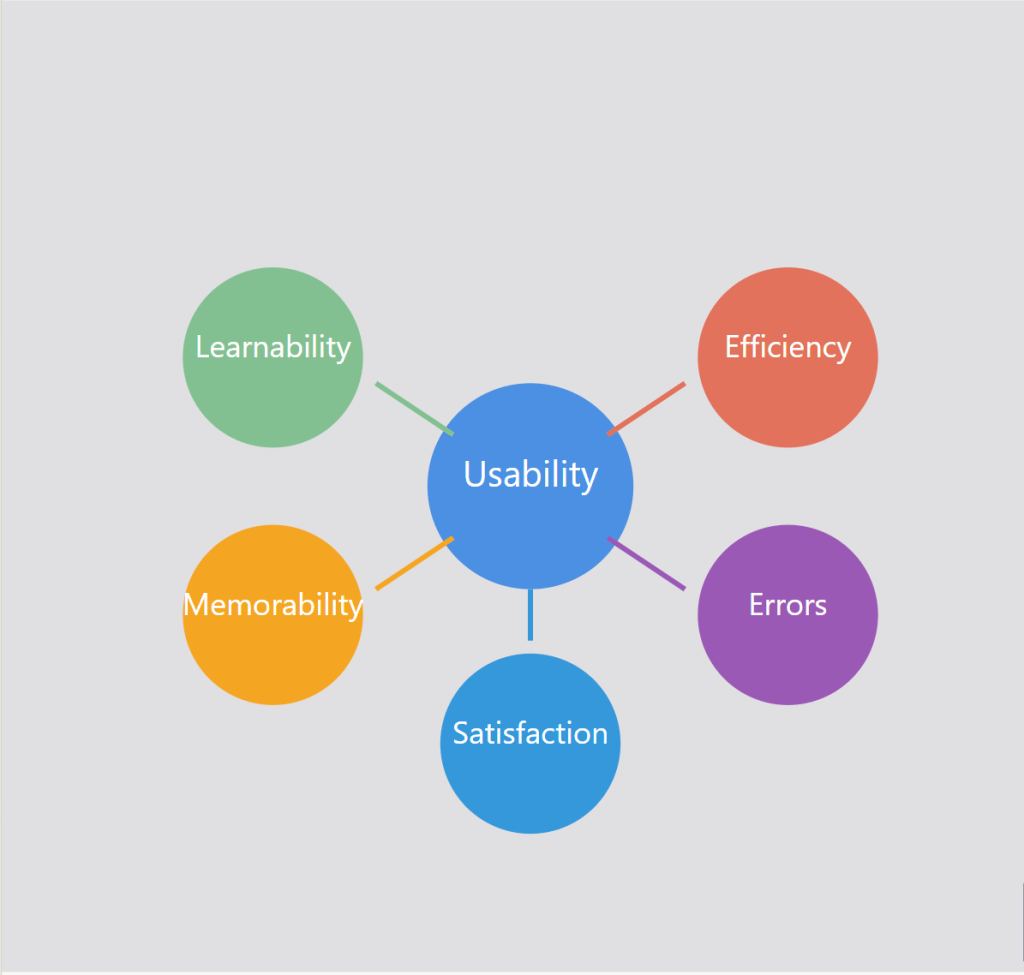
Usability goes beyond just making a functional product, it’s about creating interfaces that users can navigate efficiently. It is about making sure that users can accomplish their goals and tasks with minimal problems or confusion. Good usability allows users to focus on their objective rather than struggling with the interface. Usability is defined by 5 key components

1. Learnability: How easy is it for users to accomplish basic tasks? 

2. Efficiency: Once users have learned the design, how quickly can they perform tasks? 

3. Memorability: How easily can returning users pick up where they left off? 

4. Errors: How many errors do users make, how bad are these errors, and how can you recover from them? 

5. Satisfaction: How enjoyable is the overall user experience? 

Figure 1: The five key attributes of usability that contribute to great user experiences

The Importance of Usability 

While having nice features and visually appealing aesthetics are important, usability is the foundation that allows users to successfully engage with a product or service. It is the most important aspect of a website that is not seen. Without strong usability, even the most beautifully designed app will not be successful. Usability is necessary for survival in today’s digital landscape. There are many reasons as to why usability is so important: 

  • Improved User Satisfaction: Designs that are efficient and have no friction lead to happier, more satisfied users. When users have positive experiences using your product or service, it makes customers want to come back. 
  • Increased Productivity: Efficient interfaces allow users to find what they are looking for and accomplish their goals more quickly with less friction and frustration.  
  • Reduced Errors and Support Costs: A well-designed system with clear navigation and functionality will minimize errors, which will lower the need for customer support.  
  • Competitive Advantage and Brand Trust: In many different industries, usability can be a key differentiator between them. Products and services that are easier and more enjoyable to use will win over other competitors. Usability can directly influence how users perceive your brand. A smooth experience using your product or service builds trust and encourages users to return. 
  • Accessibility: Allowing people with disabilities to not only access but understand, navigate and interact with the product or service is a win. Having strong usability principles, such as keyboard accessibility and screen readers, helps ensure that products are usable by people with disabilities.  

Measuring and Improving Usability 

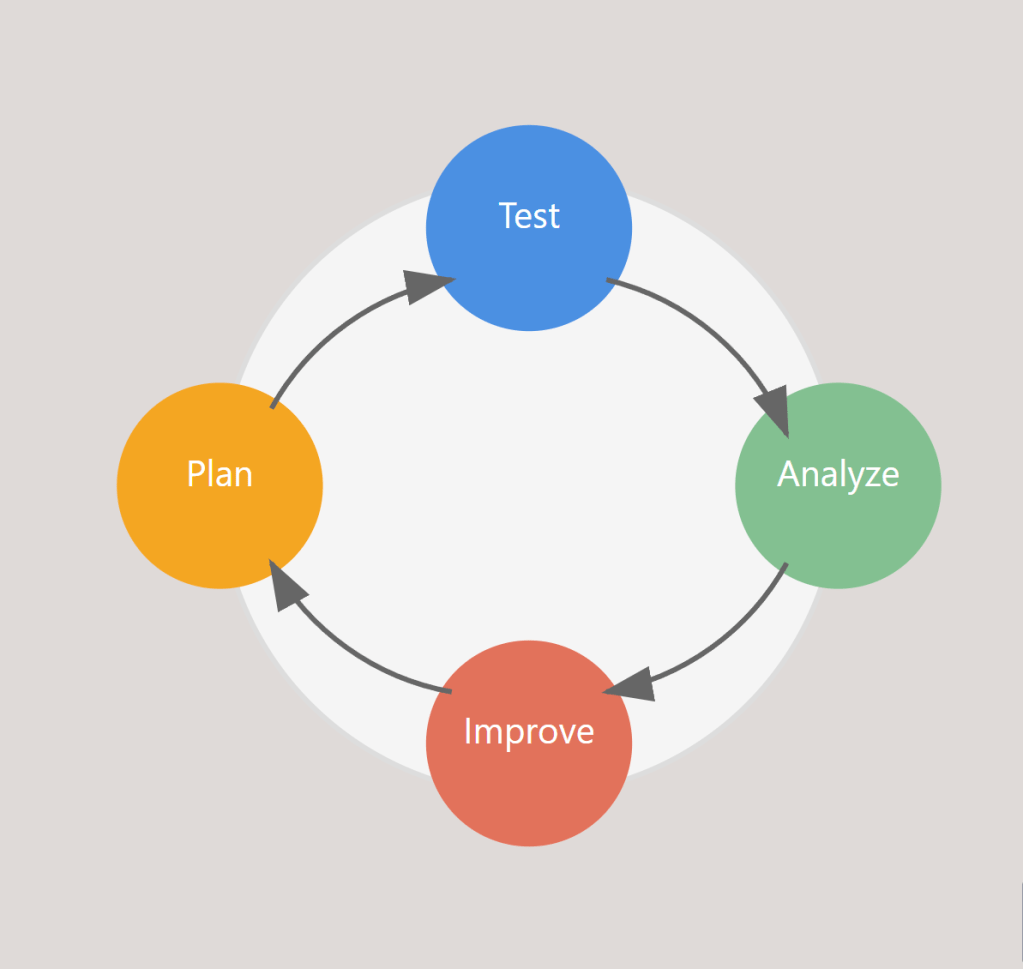
Having good usability isn’t something that can be achieved through guesswork or assumptions. It requires a user centric approach that involves testing, iterating, and continuous improvement. Collecting actual measurements is a natural step in improving usability and the path to excellent usability requires: 

Figure 2: The continuous cycle of measuring and improving usability

  • Goal-Directed Analysis: Start by identifying specific objectives like “Can users easily find products?” or “Are calls to action effective?” 
  • Usability Testing and A/B Testing: Observe real users navigating through your platform and gather feedback from them as they complete tasks. Comparing the performance of different design variations using A/B Testing while observing users will also help improve usability.  
  • Iterative Improvement: Continuously refining and improving based on feedback gathered is another key to making good usability. 
  • Performance Monitoring: Tracking metrics and analytics helps analyze user behavior data to identify pain points and opportunities for improvement.  

By incorporating usability testing and feedback throughout the design process, product teams can identify and address any issues with usability early on, which leads to more successful, user-friendly outcomes. 

Putting Usability First 

In today’s crowded digital landscape, prioritizing usability has become a critical part in a product or services success. By ensuring that your designs are intuitive, efficient, and satisfying, you are setting your users up for success and ultimately setting your business up for success as well. Whether you are developing a website, app, or digital service, remember that usability affects everything from SEO to site speed, and brand perception to end results. By investing in usability, you’re not just building a better product, you’re building a stronger business. Usability may be something working behind the scenes, but it definitely has a critical role to play. 

The Power of User Research 

Creating good products isn’t just about having good ideas, it’s about understanding your users and their needs. User research is a vital part of the user experience design process that guides designers and product teams toward creating solutions that solve real problems. It is typically done at the start of a project and consists of different types of research methods to gather data and feedback. When using this approach, designers can identify exactly what their users want, what issues they have, and what would make their overall experience better, making sure that decisions are based on real insights rather than assumptions or guesswork. 

What is User Research? 

User experience research is the systematic study of your users to gather insights that will guide the design process. During the user research phase, UX designers and/or researchers use various methods to gather data about their users. With user research, you discover who you are designing for and why, what problems your users encounter, and what your users need and/or want from your product or service. 

Types of User Research Methods 

User research usually falls into two main types of research methods

Qualitative Research 

This type of research aims to capture how your users think and feel about their experiences with a particular product or service, while also uncovering their motivations and behaviors. It includes: 

  • User Interviews: One-on-one conversations with users to understand their thoughts, feelings, and experiences. 
  • Field Studies: Observations done in the users’ natural environment to see how they interact with products. 
  • Focus Groups: Group discussions that provide insights into user needs and perspectives. 
  • Contextual Inquiry: Observing and interviewing users in their work environment. 

Quantitative Research 

This type of research involves collecting numerical data and analyzing it to identify patterns and trends, providing statistical insights. It includes: 

  • Analytics: Analyzing user behavior through website or app usage data. 
  • Surveys: Gathering numerical data about user preferences and behaviors. 
  • A/B Testing: Comparing different versions of a design to see which performs better. 
  • Heat Mapping: Visualizing where users click and interact with product interfaces. 

When to Conduct User Research 

Conducting user research is more impactful the earlier you do it. It is valuable throughout the whole design process, but it is the most effective when done at the start because it allows you to understand the users’ needs and wants before the design begins. With that said, doing research at all the stages will prove just as useful when designing a product. It will help validate any design decisions being made and allow you to change anything you want to change based on user feedback. It could also be useful to get some insight into how users interact with the final product to see if your product is successful. 

The Benefits of User Research 

  1. Saving Time and Money 

Some people might think that skipping research will actually save you more time and money, but it won’t. Skipping research could potentially lead to greater and more expensive problems later. Identifying problems early by using research is much more cost-effective than having to scrap your whole product and start from scratch. 

  1. Better Decision Making 

Conducting user research allows you to base your designs on actual data and insights about your users instead of relying on guesswork and assumptions. This makes sure you are designing with your users in mind which helps designers focus on solving the right problems. 

  1. Builds User Empathy and Satisfaction 

It is about putting yourself in the users’ shoes and understanding how they might experience your product. When you understand your users’ needs and wants, you can create products that truly benefit them and products they will like. 

  1. Leads to a Better Product 

Conducting good user research is essential if you want good UX. Understanding what your users need and want allows you to provide them with a better experience overall when using your product or service. Without investing in user research, creating a product that truly caters to the needs and wants of your users will be challenging. 

How to Get Started with User Research 

When starting, it is essential to: 

  1. Choose the Right Methods: Different methods will provide different insights. You need to determine what kind of data will be most useful for you and your goals. 
  1. Use Tools: You want to make sure you have the right tools and software for recruiting participants, conducting user research, and analyzing your data. 
  1. Turn Findings into Action: After conducting your research, you want to take out key findings and turn them into actionable insights that can inform your decision-making process for your design. 

User research isn’t just another step in the design process, it’s one of the most important ones. It is what helps you create products that users love. While it does require an investment of time, money, and resources, the information and insights gained through it are invaluable. They help designers and teams avoid costly mistakes later in the design process, create better designs, and ultimately build a great product that will truly meet the needs and wants of the user. The most successful products aren’t built through assumptions or guesswork, they are built through a deep understanding of user needs, behaviors, and preferences.