My Experience in Professional Practices in Interactive Media

What Surprised Me 

The thing that surprised me the most was that I knew that developing a presence is important and was something I was already doing but I didn’t know how much I was missing to make my presence even stronger. I had a website already but because of this class I have improved it and improved my LinkedIn account as well. I had a lot of important things missing or that needed work done and because of this class, I have improved on a lot of things concerning my professional presence. 

How Will I Apply This Class to My Professional Life 

This class has many things that will be applied to my professional life. Almost every assignment will be applied to it. My business card, research on careers, my resume, and website, just to name a few, will all help me in the future.  

Skill and Knowledge This Course Suggested I Needed  

This class taught me that I still have a lot of things to work on. One of the things that taught me that was learning that the career choices I am interested in have a lot of competition and I am going to have to set myself apart from others and gain more knowledge and skills to get the job/jobs I want. There are some technical skills that I need to learn like software to learn and how to do better research and be more efficient on my work, but a lot of the skills I need to improve on are the people skills and getting more connections in my industry and overall improving my professional presence. I also need to work on my time management skills as that is something I struggle with in general and also something this course has shown me I needed to improve. 

How Can I Improve These Skills and Knowledge 

Technical skills will be easier to improve as that will just take practice and time to learn new skills. The people skills and better professional presence will also take practice and time but will also challenge me more to put myself out there more and put myself in situations where I would use these skills. I will have to go out of my way to chase these improvements which will take longer but will be worth it in the end. There is a lot of research I could do on how to improve specific skills or find out what I need to do which I will need to look at to help prepare me for the real world and my career choice. It all just comes down to putting myself out there and putting in the work.  

An Important Thing I Learned 

The biggest thing I learned is that professional presence and connections are more important than I initially thought, making it very good that I realized this before getting into the real world.  

Something I Wish Was Included 

This isn’t really about the subject matter in the class but its how I took the class. I had to take it online in a completely different setting alone which made this class much harder and less helpful so a lot of the work and things I needed to learn were on me to learn which can be a bad thing and a good thing. There was a lot of information I missed out on having taken it online and made a class that is typically one of the more important classes because it helps set you up for after graduation less impactful because I didn’t get the full experience. Overall, my experience in this class was okay, I just wish I didn’t have to take it online like I did. 

My Experience in User Experience Fundamentals

What I Liked 

The thing I liked most about this class was the fact that we got to work on making a prototype of an app. I have always been interested in making and designing things, especially apps and games and in this class, I was able to design a prototype for an app that had game like features, so it worked towards both of my interests. Creating everything from the beginning with not much knowledge on how to do so was challenging but also very fun. I got to learn more about designing things, which is something I also enjoyed. I also liked doing the topic posts, at times they felt very tedious, but it was fun researching these topics and writing about them as they all allowed me to learn more about things I am interested in. 

What I Didn’t Like 

What I didn’t like about this class was the number of little assignments mixed in with the big assignment. I did enjoy the topic posts but sometimes it just felt like it was just adding to the stress even if I learned some things from it. Time management with this class and others became a big struggle for me. Learning Figma from scratch was also hard but fun to learn in the end but still, added to that stress of time management with all the things I had to do and learn. 

What I Learned  

I learned a lot in this class, from the technical, and hands on experience to the LinkedIn learning courses we took, I ended up learning about things I had little to no experience with which was great because I would probably end up using the things I learned to help me in the future with my career. I got to learn a lot with the topic posts too which was nice. Learning Figma and how the app building process works was by far the most interesting and fun, as that was a more hands on experience.  

What I Wish I Learned  

I know this was the first time learning Figma for most if not everyone in the class but learning some more advanced tips or just more advanced things for not only app designing but in general would’ve been nice so I would be more knowledgeable for the future. 

What I Didn’t Take Seriously Enough 

Something I didn’t take seriously enough, and this goes for all my classes, is time management. I struggle with managing my time throughout all of my classes, as a lot of assignments at once can stress me out.  

How I’ll Apply This to My Career 

This class showed me a lot of things, from designing an app and its IA, to usability and accessibility, to user testing, to building a working app. One of my career choices and something I am interested in is UX design so all the things I have learned in this class will be helpful in some way. This class is actually what made me consider UX design in the first place. Something that this class has taught me that will help me in whatever career I chose will be project management and making sure things are delivered on time and done on time, along with working under pressure. This class is a class that has had one of the biggest projects I have had so it taught me a lot in that sense. I plan to continue to build the skills and knowledge that I have gained from this class on my own, as I am sure they will help in the future. Overall, I had a good experience with this class and made some friends along the way too. 

Why Accessibility Should be Your First Priority 

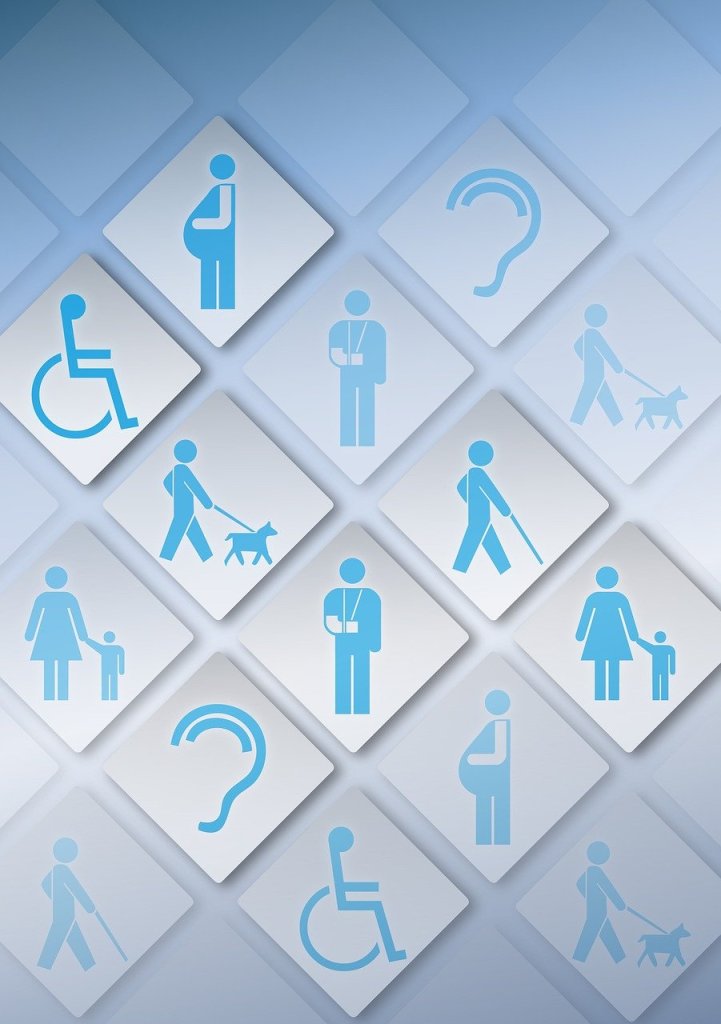
Imagine you are trying to read an important email on your phone while walking down a street and the sunlight hits you, making you squint at the screen and struggle to tap the tiny reply button. Or maybe you’re trying to order food online while holding something in your other hand, trying to navigate a complex menu with one hand. These aren’t just usability issues; they’re accessibility issues that everyone faces daily. While we often think of accessibility in terms of disabilities, the truth is that creating designs that are accessible isn’t about accommodation, but about building a better experience for everyone, no matter the situation. 

What is Accessibility? 

While accessibility is often confused with usability, they serve different yet complementary purposes. Usability focuses on whether or not your design is effective and efficient, while accessibility makes sure that all users can experience your product in the same way, regardless of their circumstances. Think of accessibility as the foundation where good usability is built. 

According to the World Health Organization, approximately 15% of the global population has some form of disability. However, the reach of accessibility extends far beyond this segment. Every user, regardless of their abilities, encounters challenge that accessibility features can help. 

Spectrum of Needs 

Accessibility considerations fall into many key categories, and understanding these needs helps us create more inclusive designs that can work for everyone: 

Physical and Sensory Needs: 

  • Visual Impairments (from color blindness to complete vision loss) 
  • Motor/mobility challenges 
  • Auditory difficulties 
  • Seizure Triggers 

Contextual and Situational Needs: 

  • Environmental Constraints (bright sunlight, noisy surroundings) 
  • Device Limitations (mobile screens, slow internet) 
  • Temporary Impairments (injuries, fatigue) 
  • Cognitive load (stress, multitasking) 

Why Accessibility Should Come First 

When you start with accessibility, you’re not just meeting a requirement, you’re creating better designs for everyone. 

  1. Universal Benefits: Features designed for accessibility often improve everyones experience. For example, video captions help both hearing imparied users and those watching in noisy environments.  
  1. Business Impact: Beyond being moral, accessible design makes business sense. It expands your market reach, improves SEO, and enhances your brand’s public image. 
  1. Future-Proofing: Designing with accessibility in mind creates greater adaptable interfaces that work across many different devices, situations, and contexts. 

Steps Forward 

To make accessibility a priority in your design process: 

  • Begin with empathy and user research 
  • Ensure proper color contrast and text that people can read 
  • Implement keyboard navigation options 
  • Provide text for images and media 
  • Structure content with clear headings and a flow that makes sense 
  • Test your designs in various situations and environments 

The Path Forward 

Accessibility isn’t some box that you have to check, it is a fundamental approach to design that will benefit everyone. By making it your first priority when making and designing a product, you’re not just designing for compliance, you’re designing for anyone and everyone to be able to have a good experience with your product. 

Why Usability is the Key to Successful User Experience 

In today’s digital landscape, where users have countless options at their fingertips, creating a product that is not just functional but also usable has become more important than ever. Many websites focus solely on delivering information, but to truly be successful you have to create an experience that’s both engaging and efficient for users. 

Understanding Usability 

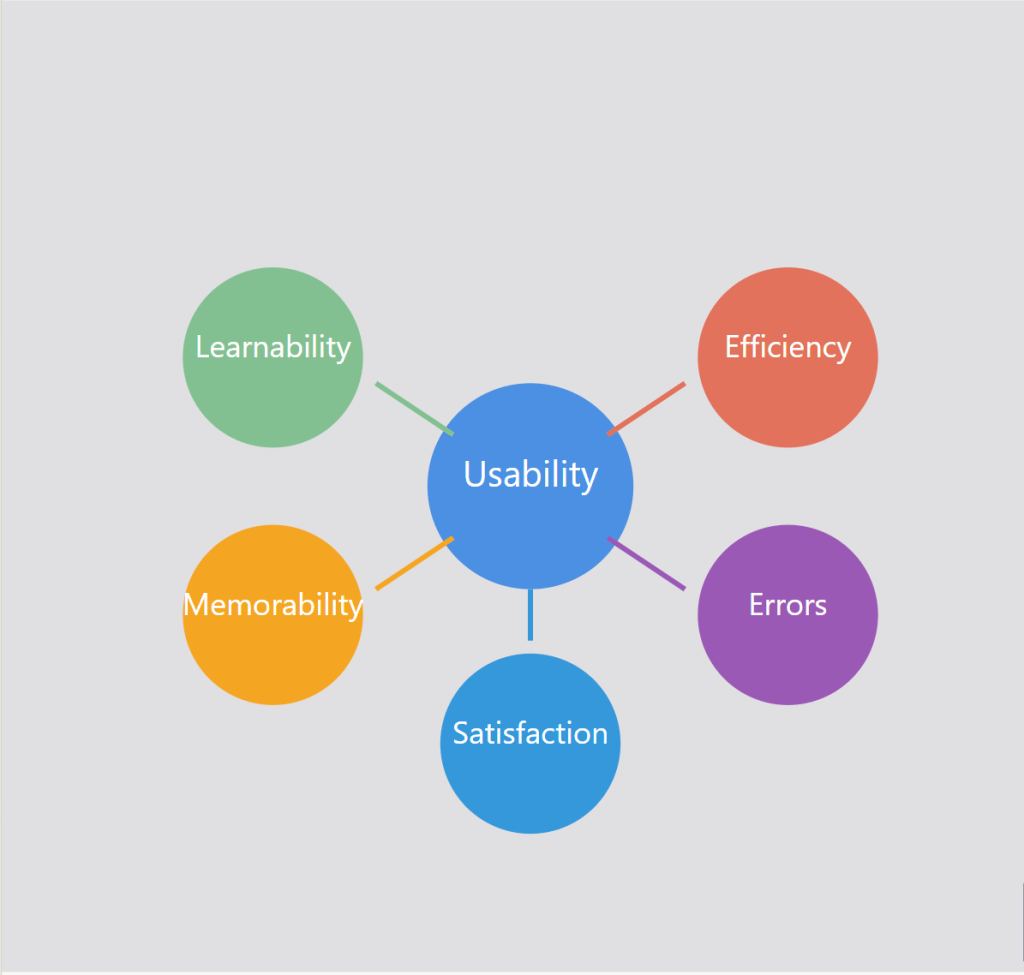
Usability goes beyond just making a functional product, it’s about creating interfaces that users can navigate efficiently. It is about making sure that users can accomplish their goals and tasks with minimal problems or confusion. Good usability allows users to focus on their objective rather than struggling with the interface. Usability is defined by 5 key components

1. Learnability: How easy is it for users to accomplish basic tasks? 

2. Efficiency: Once users have learned the design, how quickly can they perform tasks? 

3. Memorability: How easily can returning users pick up where they left off? 

4. Errors: How many errors do users make, how bad are these errors, and how can you recover from them? 

5. Satisfaction: How enjoyable is the overall user experience? 

Figure 1: The five key attributes of usability that contribute to great user experiences

The Importance of Usability 

While having nice features and visually appealing aesthetics are important, usability is the foundation that allows users to successfully engage with a product or service. It is the most important aspect of a website that is not seen. Without strong usability, even the most beautifully designed app will not be successful. Usability is necessary for survival in today’s digital landscape. There are many reasons as to why usability is so important: 

  • Improved User Satisfaction: Designs that are efficient and have no friction lead to happier, more satisfied users. When users have positive experiences using your product or service, it makes customers want to come back. 
  • Increased Productivity: Efficient interfaces allow users to find what they are looking for and accomplish their goals more quickly with less friction and frustration.  
  • Reduced Errors and Support Costs: A well-designed system with clear navigation and functionality will minimize errors, which will lower the need for customer support.  
  • Competitive Advantage and Brand Trust: In many different industries, usability can be a key differentiator between them. Products and services that are easier and more enjoyable to use will win over other competitors. Usability can directly influence how users perceive your brand. A smooth experience using your product or service builds trust and encourages users to return. 
  • Accessibility: Allowing people with disabilities to not only access but understand, navigate and interact with the product or service is a win. Having strong usability principles, such as keyboard accessibility and screen readers, helps ensure that products are usable by people with disabilities.  

Measuring and Improving Usability 

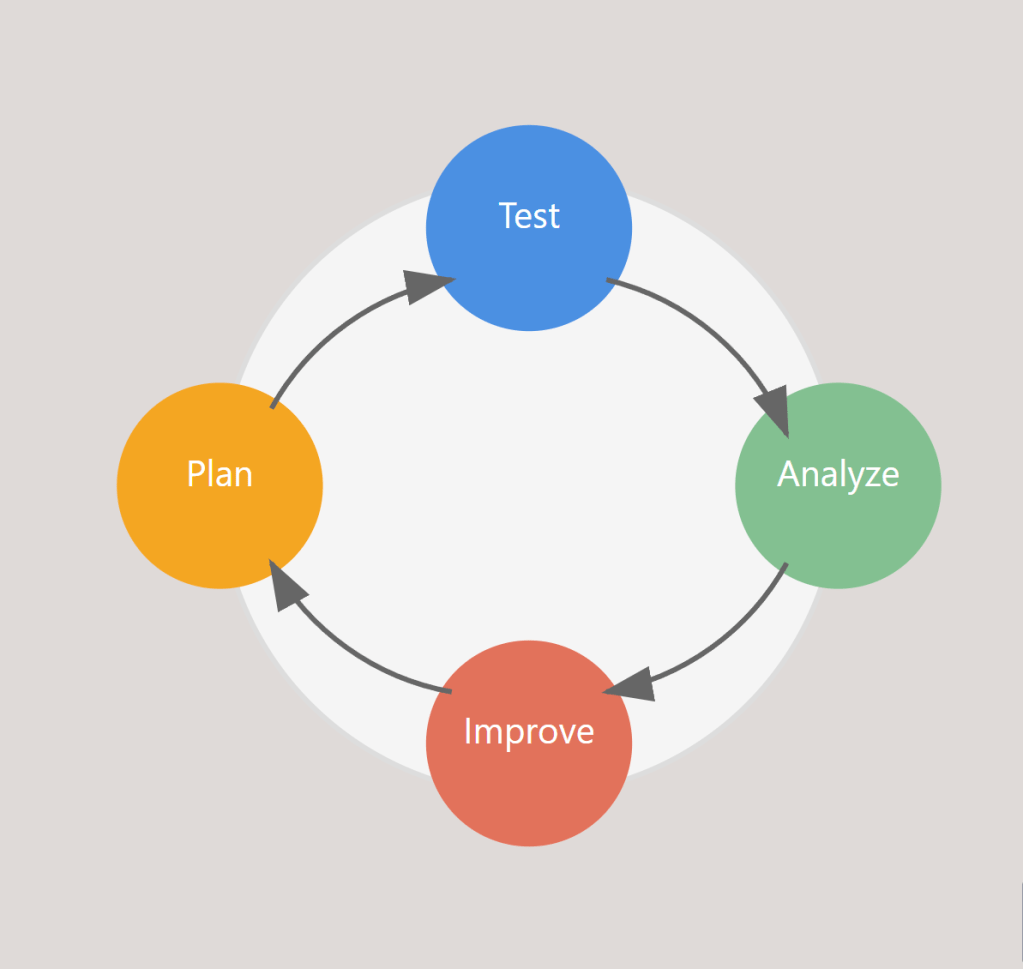
Having good usability isn’t something that can be achieved through guesswork or assumptions. It requires a user centric approach that involves testing, iterating, and continuous improvement. Collecting actual measurements is a natural step in improving usability and the path to excellent usability requires: 

Figure 2: The continuous cycle of measuring and improving usability

  • Goal-Directed Analysis: Start by identifying specific objectives like “Can users easily find products?” or “Are calls to action effective?” 
  • Usability Testing and A/B Testing: Observe real users navigating through your platform and gather feedback from them as they complete tasks. Comparing the performance of different design variations using A/B Testing while observing users will also help improve usability.  
  • Iterative Improvement: Continuously refining and improving based on feedback gathered is another key to making good usability. 
  • Performance Monitoring: Tracking metrics and analytics helps analyze user behavior data to identify pain points and opportunities for improvement.  

By incorporating usability testing and feedback throughout the design process, product teams can identify and address any issues with usability early on, which leads to more successful, user-friendly outcomes. 

Putting Usability First 

In today’s crowded digital landscape, prioritizing usability has become a critical part in a product or services success. By ensuring that your designs are intuitive, efficient, and satisfying, you are setting your users up for success and ultimately setting your business up for success as well. Whether you are developing a website, app, or digital service, remember that usability affects everything from SEO to site speed, and brand perception to end results. By investing in usability, you’re not just building a better product, you’re building a stronger business. Usability may be something working behind the scenes, but it definitely has a critical role to play. 

The Evolution of Reality

Imagine a world where the boundaries between the physical and digital realities blur, where you can see objects and information floating in front of you, and where you can enter whatever digital environment you want to. This might sound like science fiction, but this is already happening thanks to technologies such as Virtual Reality (VR), Augmented Reality (AR), and Mixed Reality (MR). These technologies are quickly evolving, changing the way we work, learn, play, and interact with the world around us. From the use of VR headsets that allow us to explore new worlds and enter new realities, to AR apps that show information onto our physical surroundings, to MR that blends the real world and virtual world, we are now entering an era populated by human-computer interaction. As these technologies evolve, they aren’t just changing what we see, but they’re also changing how we experience and interact with the world around us.

Defining the Reality Spectrum

Before diving into their potential, we must first understand what VR, AR, and MR are. Virtual Reality (VR) is the most popular and most known out of the three, being used in gaming, education, and industry. It immerses the user in a digital environment, fully disconnecting them from the physical world around them. Augmented Reality (AR) overlays digital information and/or objects onto the real world, with the means of enhancing the way we interact with our physical environment. Mixed Reality (MR) blends real world and digital elements, allowing the user to not only see the digital information and content like AR does but also allows the user to interact with digital objects in a physical space like you can in VR.

Current State and Uses of Technologies

Today’s current state of VR/AR and MR offer many different ways that the digital world can blend with our physical world, with each technology finding a specialized use across industries.

VR, used with devices like the Meta Quest 2, allows the user to experience a fully immersive virtual world. VR excels in gaming and entertainment currently, but it is also finding its way into education, healthcare, and training for jobs. Surgeons could practice procedures, people can go to therapy and work on their phobias in a controlled environment, and workers can go through safety training risk free in virtual environments. The user experience in VR is unique, because it completely replaces the user’s visual and auditory senses. The immersion that VR can bring can lead to a strong sense of presence, like you are really there, but it can also cause motion sickness which is a big problem UX designers need to look at when it comes to VR.

AR has become widely used in smartphone apps, allowing us to enhance our viewing of the real world with digital information or overlays. Although, there are popular games like Pokémon Go that are examples of the use of AR, AR is also being used in retail with virtual try-on experiences, aiding with directions in real time, helping surgeons by assisting them during complex surgeries, and making immersive learning experiences for students. AR’s user experience is all about blending digital information into the real world. UX designers focus on creating interfaces that don’t overwhelm the user’s natural interaction with the environment.

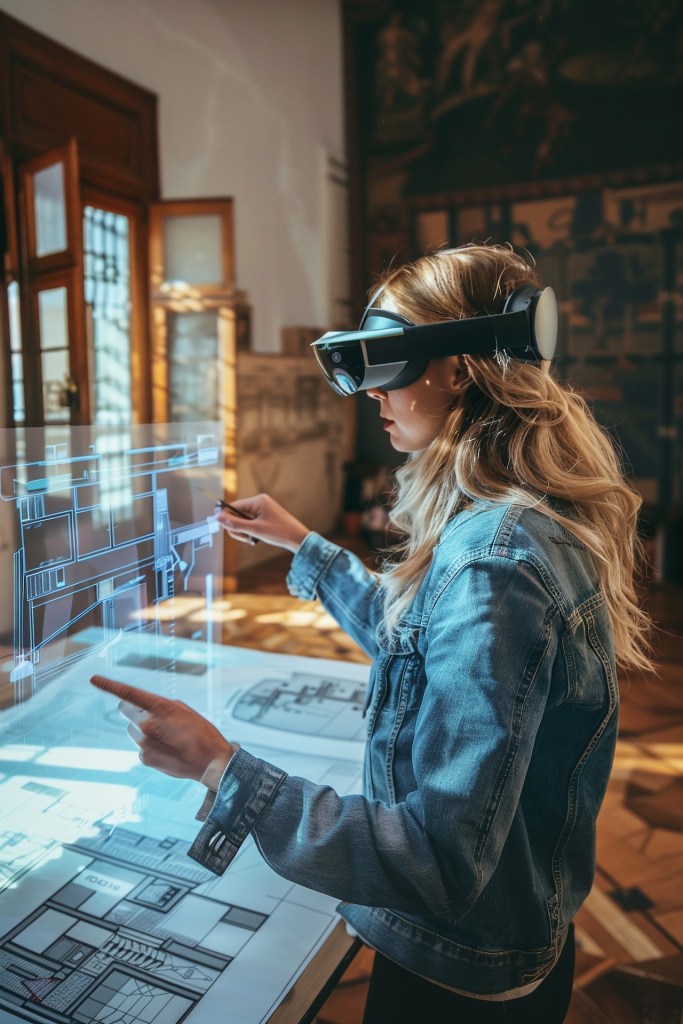
MR, used with Microsoft’s HoloLens 2, can blend virtual objects with your physical space. It is playing a critical role in industrial and architectural design, allowing them to interact with 3d models in real time which not only helps in general but can help with the creative process as well. It is also being used in maintenance and repair, where they can work on machinery with digital instructions. MR is currently more limited than AR and VR as it isn’t as accessible because of hardware and cost. MR presents the most difficult UX challenge of blending digital and physical interactions. UX designers have to create interfaces that feel natural and good in both areas.

As these technologies evolve, user interfaces are becoming more natural to people by adding hand tracking, eye tracking, and voice commands. UX design will play a crucial role in making these technologies more accessible. AI will also play a crucial role in the development of these technologies. AI can enable these technologies to understand the real world more, help recognize objects, and interact with the users which will overall create a more realistic and engaging experience for its users. As ergonomics and software improve, these technologies will integrate even more into our daily lives, potentially changing how we go about our days as a whole. In the future, these technologies can change how we work, learn and interact with the world around us.